
Case study
BuziHub — SaaS POS & Inventory Management Platform
A new multilingual Next.js website and a redesigned business application for a POS and inventory SaaS — built on top of the Laravel system already running it.
- Discipline
- Web Frontend
- Type
- SaaS · Point of sale · Inventory · Dashboard · Full-stack
- Domain
- Retail & Business Operations SaaS
- Role
- Full-Stack Developer
- Status
- Production
01Project overview
What this system is
BuziHub is a SaaS business-management platform for retailers, restaurants and service businesses. It brings point of sale, inventory, warehouses, sales, purchases, suppliers, users, permissions, projects, reporting and operational workflows into one system. My work covered the two parts of the product a customer actually touches: the public SaaS website, and the tenant business application they run their operation in. I worked on it as a Full-Stack Developer, with most of the weight on frontend architecture, UI/UX redesign, responsive interfaces, multilingual support, performance and SEO, and on integrating all of that with the existing Laravel application rather than replacing it.
02The challenge
The problem it had to solve
The product worked, but it looked and behaved like the template it started from. The tenant application had a large surface — dashboards, products, sales, purchases, inventory, reports, projects, users and settings — that needed a real visual and usability upgrade, and the public website needed a new identity that presented BuziHub as a modern SaaS. All of it had to happen without breaking what production depended on: the Laravel business logic, API behaviour, authentication, permissions, tenancy, theme customisation, and Arabic and English with RTL and LTR layouts.
03Solution & features
What was built
Treat the work as a UI/UX modernisation, not a business-logic rewrite. The public website was rebuilt as an independent Next.js application with a black and lime identity, connected to the existing registration flow rather than reimplementing account creation. The tenant application kept its Laravel and Vue architecture while its screens were redesigned — dashboard, products, sales, purchases, inventory, Kanban projects, reports and AI-assisted reporting — with existing theming preserved and direction handling fixed across both languages. The website then went through clean-code, SEO and performance passes measured with Lighthouse.
Core features
Dashboard Experience
Business KPI cards, sales and purchase metrics, stock information, charts, category performance, recent activity and operational shortcuts — reorganised so the important numbers appear early instead of at the end of a long page.
Products & Inventory
Create Product and Product List rebuilt around clearer forms and cleaner tables: categories, warehouse-related views, product status, filters, table actions, form organisation, validation states and responsive behaviour, with backend operations unchanged.
Sales & Operations
Sales and operational screens with modernised tables, filters, statuses, actions and spacing, presenting the same workflow and API behaviour through a much clearer interface.
Projects / Kanban
Project management redesigned as a cleaner Kanban experience, making task states, progress, cards, statuses, actions and navigation easier to read and manage.
AI Reporting Interface
An interface for AI-assisted reporting that presents generated business insights as a structured dashboard rather than raw output, designed to sit naturally inside the rest of the system.
Arabic & English
English LTR and Arabic RTL across the product, Cairo for Arabic typography, language-aware navigation, and logos and other non-directional assets that are not mirrored when the direction flips.
Theme & Design System
The existing theme and primary-colour customisation kept working under the new interface, with particular attention to the dark mode the redesigned dashboard is built around.
Public SaaS Website
Hero, product screenshot carousel, features, pricing, FAQ, CTA sections, contact page and footer, in Arabic and English with full RTL/LTR support and a responsive mobile design.
04Architecture & integrations
How the system fits together
The product is split into two experiences with a deliberate boundary between them. The public marketing website is a separate Next.js application, so it could be redesigned and optimised aggressively without any risk to the business application. The tenant system keeps its existing Laravel and Vue architecture; its visual layer was modernised on top of the same routes, APIs, permissions and theme settings. In production both share the BuziHub environment: marketing pages are served by the new frontend, while routes such as /register, /app/* and /api/* continue to reach the existing application.
Layers
01
Public Website (Next.js)
Server-rendered marketing pages in Arabic and English — hero, product screenshots, features, pricing, FAQ, contact — with localised metadata, structured data and an image and font strategy tuned for performance.
02
Registration Hand-off
The new website links into the existing BuziHub registration flow, so accounts are still created by the production Laravel system instead of a second implementation.
03
Tenant Application (Vue)
The business application customers work in: Vue with Vue Router and Vuex, Bootstrap Vue, SCSS and ApexCharts, redesigned screen by screen without changing its data flow.
04
Laravel APIs
The existing backend: business logic, REST APIs, authentication, permissions and tenancy. The redesign consumes it as it is.
05
Theme Layer
The tenant's existing theme and primary-colour customisation, preserved so the new interface follows each tenant's settings rather than one hard-coded colour.
Dashboard modules
- Main dashboard
- KPIs, charts, category performance, recent activity and shortcuts.
- Products
- Product list, product creation, categories, status and filters.
- Sales & Purchases
- Transaction tables, statuses, filters and actions.
- Inventory
- Stock and warehouse-related interfaces.
- Projects / Kanban
- Task states, project progress and cards.
- Reports & AI Reports
- Business reporting and the AI-assisted reporting interface.
- Authentication
- Login and authentication screens.
- Shell
- Navigation, sidebar, forms, tables, empty states and responsive layouts.
05Technologies & role
The stack, and the role in it
Role on the projectFull-Stack Developer
- Frontend
- Next.js
- React
- TypeScript
- Tailwind CSS
- Next.js image optimisation
- Vue.js
- Vue Router
- Vuex
- Bootstrap Vue
- SCSS
- ApexCharts
- Arabic / English (RTL & LTR)
- Back end
- Laravel (existing application)
- REST APIs
- Authentication
- Permissions
- Tenant application
- Registration workflow
- Integrations
- SEO metadata APIs
- Structured data
- Open Graph & Twitter cards
- Sitemap & robots.txt
06Challenges & decisions
The hard parts, and the decisions behind them
Challenge 01
A large production application built on an older template, with many data-heavy business screens that all needed to change.
How it was handled
The redesign was scoped to the UI/UX layer: information hierarchy, forms, tables, navigation, dashboard composition and responsive behaviour, screen by screen, on top of the same routes and API calls.
Challenge 02
Production depended on behaviour the redesign could easily break — authentication, permissions, tenancy, existing API responses and theme customisation.
How it was handled
Those were treated as fixed contracts. The new interface consumes them as they are, and the tenant's theme settings were kept instead of hard-coding the new look to a single colour.
Challenge 03
Arabic and English needed to behave correctly in both directions across the whole product, not just have translated strings.
How it was handled
Direction handling was fixed across layouts and navigation, Arabic was set in Cairo, and logos and non-directional assets were kept from being mirrored in RTL.
Challenge 04
The public website started from a template carrying unused components, assets, dependencies and code.
How it was handled
A dedicated clean-code pass removed unused components, dead assets, unused dependencies, duplicated utilities, unused CSS and translation leftovers, and simplified hooks and animation code — checked with visual regression so the approved UI did not change.
Challenge 05
The new website had to replace the public pages while the existing application kept serving the same production environment.
How it was handled
Routing was planned so marketing pages use the new frontend while /register, /app/* and /api/* continue to reach the existing application, and deployment used release-and-rollback thinking instead of overwriting the live app.
Technical decisions
- Redesign without rewriting production logic.
- The application already had working workflows and APIs. Preserving them and changing the interface — hierarchy, forms, tables, navigation, dashboard composition, responsiveness, themes, accessibility and consistency — delivered a completely different product experience with far less regression risk.
- Build the public website as a separate Next.js application.
- Separating marketing from the business application meant the website could be redesigned and optimised aggressively for SEO and performance without touching the core platform.
- Reuse the existing registration flow.
- Connecting the new website to the production sign-up kept account creation in one place instead of maintaining a second implementation of it.
- Keep tenant theming instead of hard-coding the new look.
- Customers already customise their theme and primary colour. Structuring the new UI around that behaviour kept a feature they rely on while raising the overall quality of the interface.
- Clean the template before optimising.
- Removing dead components, assets and dependencies first meant the performance work optimised the real application rather than leftovers, and visual regression checks kept the approved design intact.
Performance
- Images optimised and converted to WebP, with non-critical images deferred.
- Less JavaScript: unused dependencies removed and fewer client components, reducing hydration work.
- Hero loading, font loading and preload behaviour optimised.
- Unnecessary page prefetching reduced and reveal animations made cheaper.
- Mobile rendering improved, with production PageSpeed used as the final real-world benchmark.
- Desktop Lighthouse Performance of about 99 in local production testing; SEO, Accessibility and Best Practices at 100 in the final pass.
Interface & experience
- A dark SaaS visual direction for the redesigned dashboard, built to stay practical for people working through large amounts of operational data.
- Important dashboard information moved earlier, instead of making users scroll a long page to reach it.
- Clearer forms, tables, filters, statuses and empty states across products, sales, purchases and inventory.
- AI-generated insights presented in a structured dashboard rather than as raw output.
- Language-aware navigation and layouts that work in both directions on desktop, tablet and mobile.
Production readiness
- Localised page titles and meta descriptions, canonical URLs and hreflang for Arabic and English.
- robots.txt, sitemap.xml, Open Graph and Twitter metadata, and a social sharing image.
- Structured data, a semantic heading hierarchy and image alt text.
- Correct HTML lang attributes and server-rendered RTL direction.
- Routes planned so /register, /app/* and /api/* keep using the existing application.
- Release and rollback planning for deployment rather than overwriting the active application.
07Live Website
The BuziHub Website
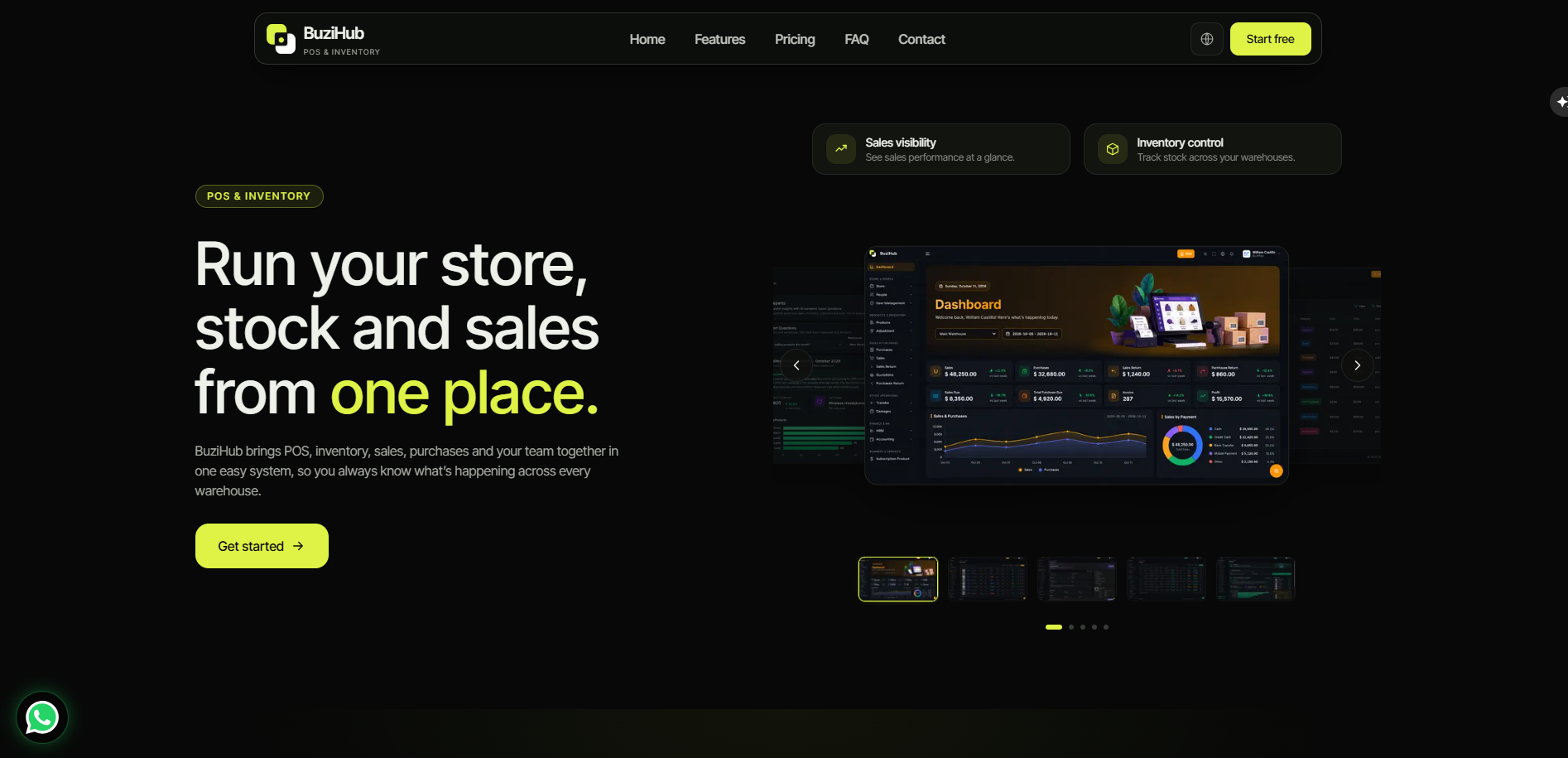
The public landing in its black and lime identity: one clear promise, a single call to action, and a carousel of real dashboard screenshots so the product is shown rather than described.
08Outcome
Where it stands
- Desktop Performance
- ~99
- SEO
- 100
- Accessibility
- 100
- Best Practices
- 100
- CLS
- 0
- Languages
- Arabic + English
- Responsive
- Desktop / Tablet / Mobile
Related work
More systems like this
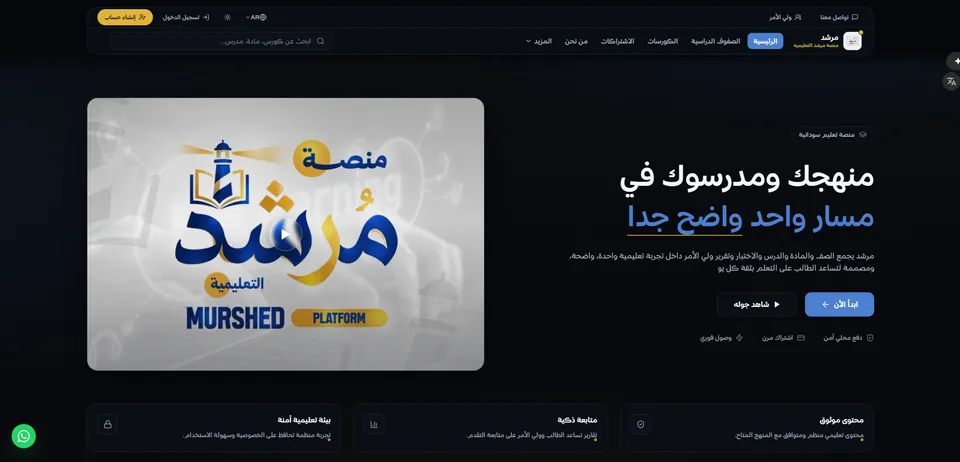
Morshed Educational Platform — Web Frontend
A production educational web platform combining student and parent experiences, structured curriculum, courses, lessons, exams, subscriptions, progress tracking, and responsive role-based interfaces.
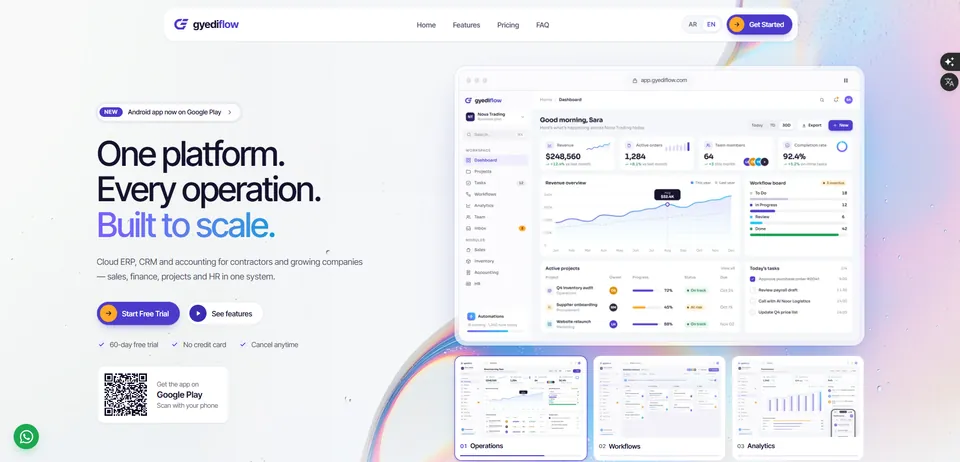
GyediFlow
The public website of GyediFlow, a cloud ERP and CRM platform with 30+ business modules, an AI assistant and mobile apps — a bilingual, responsive front end that turns a large enterprise product into a clear, navigable story.
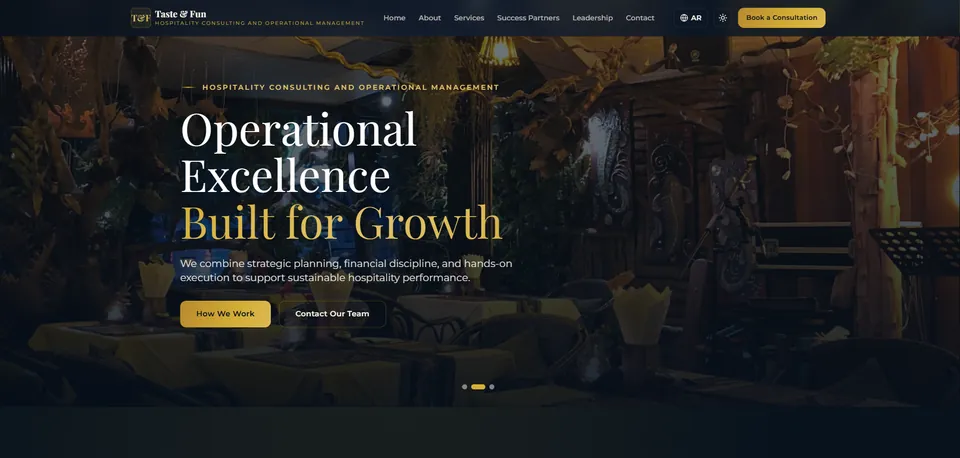
Taste & Fun — Hospitality Consulting & Operational Management
A premium bilingual hospitality consulting website created for the UAE and GCC, combining strategic content, operational services, leadership profiles, success partners, and a cinematic responsive experience.
Building something similar?
Describe what you need — the users, the scope, the systems it has to connect to — and I’ll reply with questions or a next step.